🧲 Lead Gen Automation Playbook
3 N8N Workflows That Transform Your Entire Research & Outreach Stack. Stop overpaying for Clay. Get AI-powered client research, smart reply routing, and contact enrichment for 80%+ less.
What You'll Get
AI Client Research Machine
Automatically scan websites, LinkedIn, Instagram, YouTube and generate comprehensive research summaries in minutes.
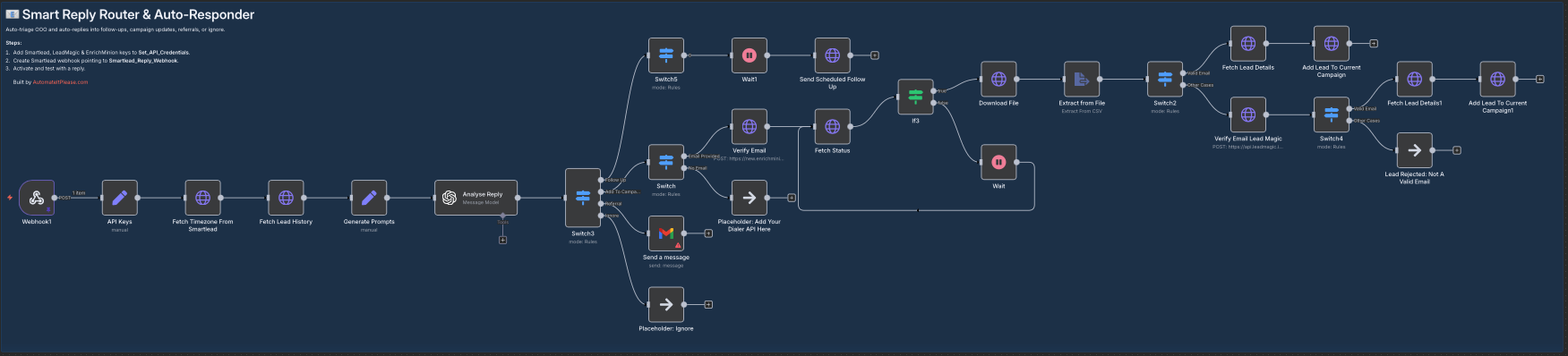
Smart Reply Router
AI reads every out-of-office email and automatically schedules perfect follow-ups with proper context.
Contact Enrichment Waterfall
Find phone numbers and discover all contacts at target companies using LeadMagic + EnrichMinion.
Save 80%+ on Costs
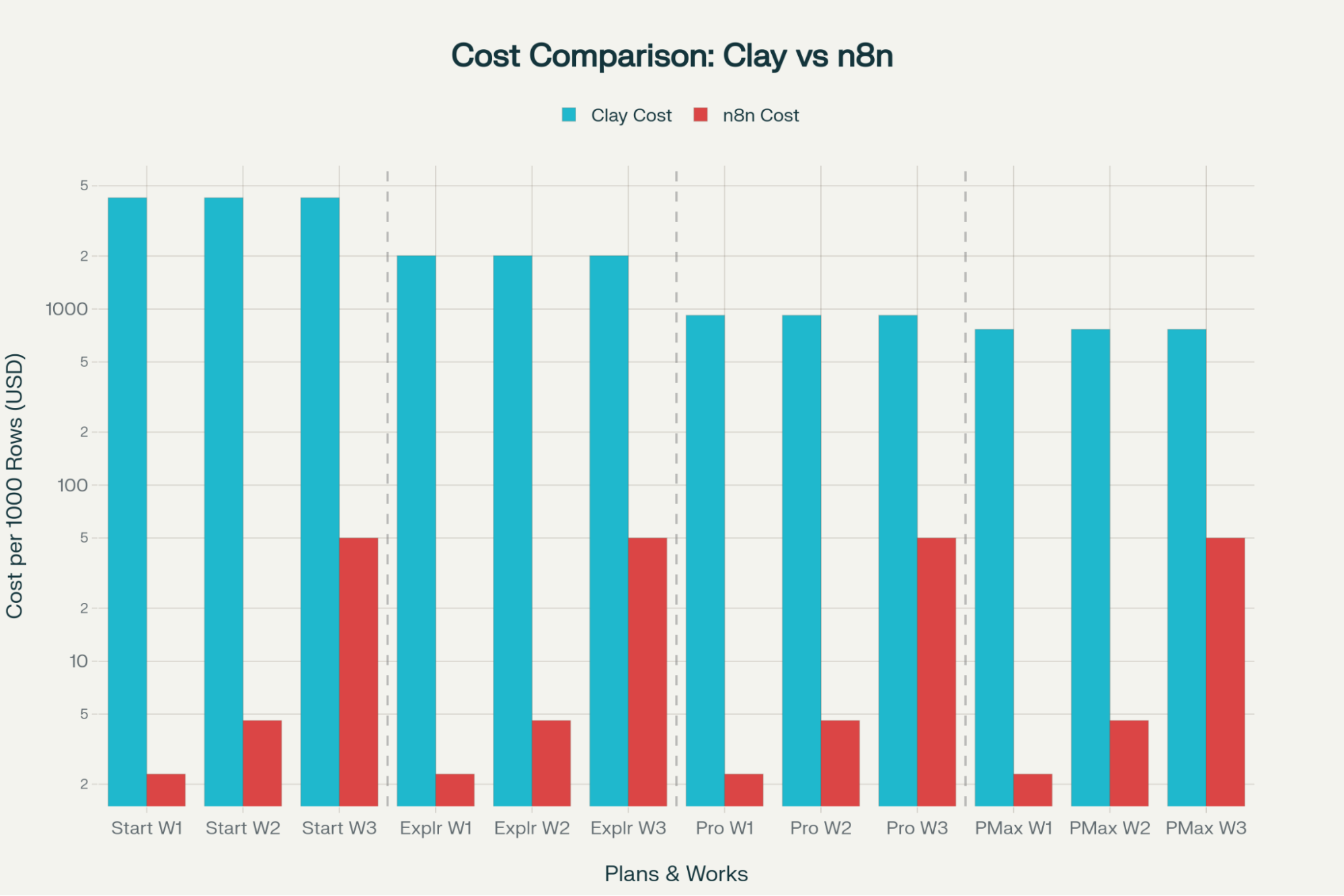
Replace expensive Clay subscriptions ($800-2000/month) with cost-effective n8n solution ($60-120/month).
Quickstart Implementation Guide
5 steps · takes about 15 minutes to set up
STEP 1: Download the 3 N8N Workflows
Get all three production-ready workflows that handle client research, reply routing, and contact enrichment.
STEP 2: Get Your API Keys (5 minutes)
Collect API keys from the required services. All have free tiers or pay-per-use pricing.
- →Smartlead API: Go to Settings → Profile → Copy API key
- →LeadMagic API: Dashboard → Settings → API → Generate key
- →EnrichMinion API: Settings → Copy API key
- →OpenAI API: Create account → Generate API key
STEP 3: Import Workflows to N8N (5 minutes)
Import the 3 workflow JSON files into your n8n instance.
- →Download the 3 workflow JSON files from Step 1
- →In N8N: Click "Import from file" → Select each JSON → Import
- →Repeat for all 3 workflows

STEP 4: Add Your API Keys (10 minutes)
Configure each workflow with the API keys you collected in Step 2.
- →Workflow 1 (Client Research): Find "Open AI" node → Paste your OpenAI API key
- →Workflow 2 (Smart Reply Router): Find "API Keys" node → Add Smartlead + LeadMagic + EnrichMinion keys
- →Workflow 3 (Contact Enrichment): Find "API Keys1" node → Add LeadMagic + EnrichMinion keys → Set action field to
enrich_mobile_numbersorfind_another_contact
STEP 5: Create Smartlead Webhooks & Activate (10 minutes)
Connect Smartlead to your n8n workflows via webhooks and activate everything.
- →In Smartlead → Settings → Webhooks
- →Create webhook #1: Name "N8N Reply Router" | Trigger: "Email Reply Received" | URL: Copy from Workflow 2 "Webhook1" node
- →Create webhook #2: Name "N8N Contact Enrichment" | Trigger: "Email Reply Received" | URL: Copy from Workflow 3 "Enrich Smartlead Contacts" node
- →Activate all 3 workflows in N8N
- →Test each workflow to ensure everything works
🎉 Done! Your complete lead generation automation stack is now live. Save 20+ hours per week and 80%+ on costs.
📚 Resources & Tools
- Download Workflows: Get All 3 Workflows
- Cost Calculator: Calculate Your Savings vs Clay
Need Custom Automation?
We help businesses replace expensive tools like Clay with cost-effective n8n solutions. Save 80%+ on automation costs.
Book a Call