🚀 Automated GTM Research Workflow
Step-by-step setup guide for building an automated Go-To-Market research agent using n8n and Smithery AI. Scrape competitors and generate positioning in minutes.
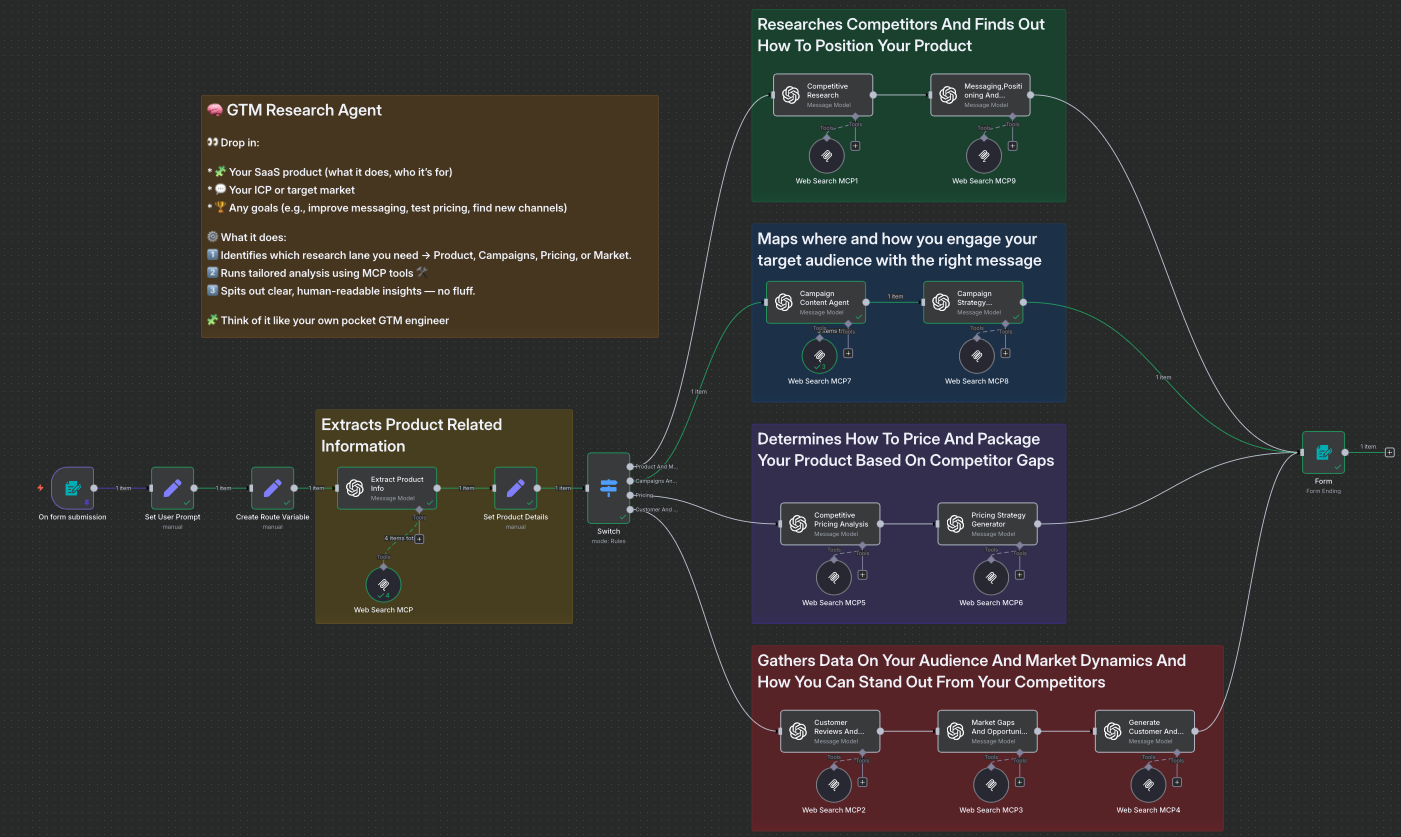
🚀 What You'll Get
Competitor Intelligence
Automatic site scraping, positioning analysis, and gap identification.
Strategic Positioning
Ready-to-use differentiation angles, value propositions, messaging frameworks.
Market Opportunity
Up-to-date trends, mapped segments, and white space opportunities.
Campaign Planning System
Prioritized channels, recommended tactics, mapped content.
Customer Intelligence
Detailed personas, pain point insights, and mapped buying triggers.
10-Minute Delivery
All results are ready to apply within 10 minutes — launch smart, not blind.
Quickstart Implementation Guide
3 steps · takes about 15 minutes to set up
STEP 1: Download & Import the Workflow
Grab the latest n8n workflow package and import it into your n8n instance.
- →Log in to your n8n instance (cloud or self-hosted)
- →Click "Import" and upload the downloaded
.jsonfile - →Double-check that all nodes and credentials are present after import
STEP 2: Get Your MCP Server URL
Visit Smithery AI to get a free MCP server URL that powers the web scraping in the workflow.
- →Create an account — no credit card needed
- →Click "Get URL with keys instead" on your dashboard
- →Copy the generated MCP server URL to your clipboard
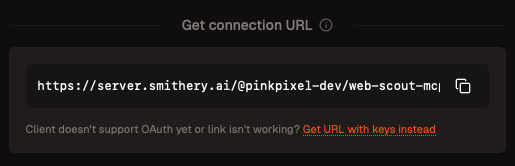
STEP 3: Configure the Workflow for Production
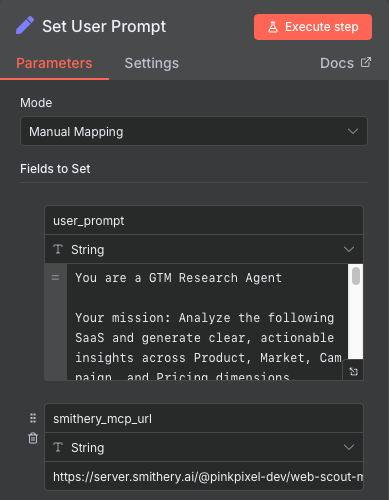
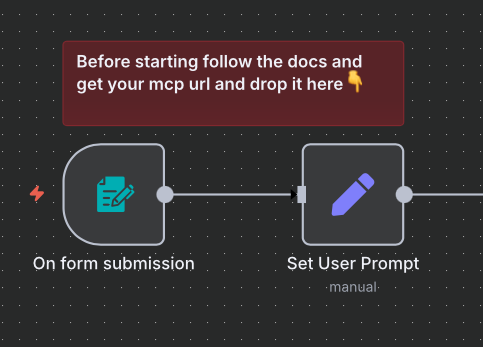
Paste your MCP Server URL into the workflow and fill out the product form to run your first GTM analysis.
- →In n8n, find the "Set User Prompt" node
- →Paste your MCP server URL into the
smithery_mcp_urlfield - →Enter your product idea and any required variables in the workflow form
- →Make sure all details are accurate for best results
- →Watch the workflow process your product idea and generate GTM insights in minutes
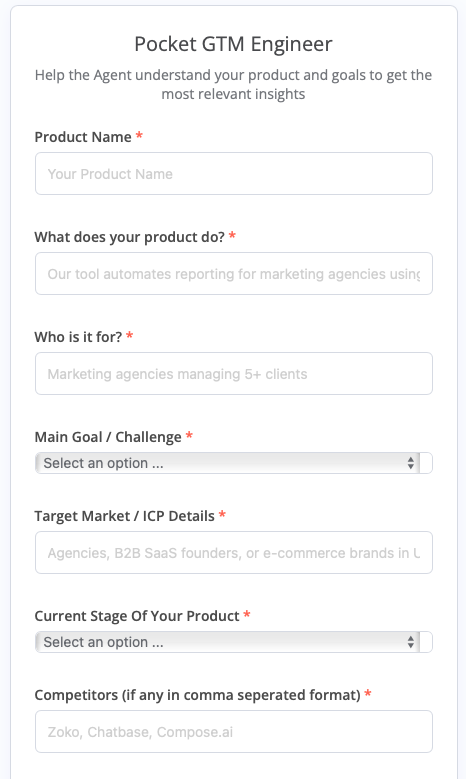
🎉 All results will be returned, ready for review and use in your GTM strategy.
📚 Resources & Support
- Download the workflow: Google Drive — GTM Workflow .json
- Free Smithery MCP Server: smithery.ai/server/@pinkpixel-dev/web-scout-mcp
- Community: n8n & Smithery forums